
 HONG KONG SAUL
IS200TPROH1BBB Turbine Control System
IS200TPROH1BBB Product Introduction
Basic Information
Brand: GE (General Electric)
Model:IS200TPROH1BBB
Part Number: IS200TPROH1BBB
Series: Mark VIe Speedtronic Turbine Control System I/O Pack
Country of Origin: United States
Product Type: Discrete Input Module (Contact Input Module), also known as PDIA I/O Pack
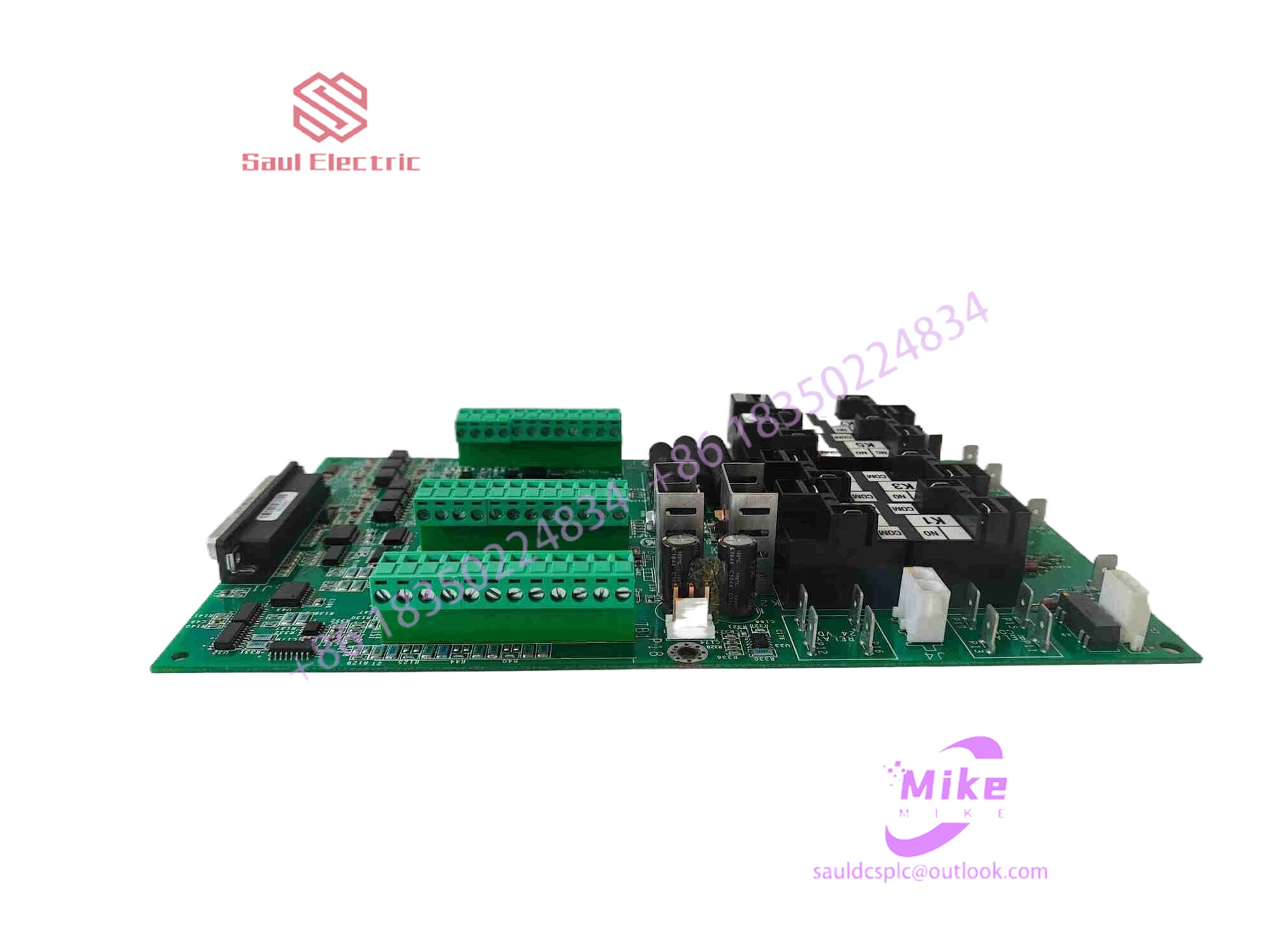 Functional Overview
The IS200TPROH1BBB is a 24-channel discrete (digital) input module in the GE Mark VIe control system. Its primary function is to collect discrete signals (contact open/close signals) generated by field devices such as sensors,
switches, and relays, convert them into digital signals that can be recognized and processed by the PLC or control system CPU,
and transmit the processed data to the GE Speedtronic turbine control system or other control equipment, enabling automated control and monitoring. Key Technical Specifications
Rated Voltage: 24.0 VDC (Nominal)
Maximum Rated Voltage: 28.6 VDC
Maximum Rated Contact Input Voltage: 32 VDC
Number of Input Channels: 24 Discrete Inputs
Operating Temperature Range: -30°C to +65°C
Environmental Adaptability: Passes rigorous environmental testing, capable of long-term stable operation in harsh industrial environments Compatible Terminal Boards
The IS200TPROH1BBB can be paired with a variety of GE terminal boards, including but not limited to:
IS200STCIH1A / IS200STCIH2A
IS200STCIH8A
IS200TBCIH2C / IS200TBCIH4C
IS400STCIH1A / IS400STCIH2A / IS400STCIH8A
IS400TBCIH2C Certifications and Safety
This module is UL certified and can be used in both hazardous and non-hazardous locations. The UL certification covers various classes and divisions, and relevant UL mark documents are available for reference.
2.1 Capacitive technology touch screen
It works by using the human body’s current induction. The capacitive touch screen is a four-layer composite glass screen. The inner surface and interlayer of the glass screen are each coated with a layer of ITO. The outermost layer is a thin layer of silica glass protective layer. The interlayer ITO coating serves as the working surface. Four electrodes are drawn out, and the inner ITO layer is a shielding layer to ensure a good working environment. When a finger touches the metal layer, due to the electric field of the human body, a coupling capacitance is formed between the user and the touch screen surface. For high-frequency current, the capacitance is a direct conductor, so the finger draws a small current from the contact point. This current flows out from the electrodes on the four corners of the touch screen, and the current flowing through these four electrodes is proportional to the distance from the finger to the four corners. The controller obtains the position of the touch point by accurately calculating the ratio of these four currents. .
2.2 Defects of capacitive touch screens
The light transmittance and clarity of the capacitive touch screen are better than the four-wire resistive screen, but of course it cannot be compared with the surface acoustic wave screen and the five-wire resistive screen. The capacitive screen is seriously reflective, and the four-layer composite touch screen with capacitive technology has uneven transmittance of light of various wavelengths, causing color distortion. Due to the reflection of light between the layers, the image characters are also blurred.
In principle, the capacitive screen uses the human body as an electrode of a capacitor element. When a conductor is close to the interlayer ITO working surface and a sufficient capacitance is coupled, the current flowing away is enough to cause the capacitive screen to malfunction. . We know that although the capacitance value is inversely proportional to the distance between the poles, it is directly proportional to the relative area, and is also related to the insulation coefficient of the medium. Therefore, when a larger area of the palm or a conductive object is held close to the capacitive screen instead of touching it, it can cause the capacitive screen to malfunction. In humid weather, this situation is particularly serious. Putting your body within 15 cm of the monitor can cause the capacitive screen to malfunction. Another disadvantage of capacitive screens is that they do not respond when touched with a gloved hand or a non-conductive object, due to the addition of a more insulating medium.
The main disadvantage of the capacitive screen is drift: when the ambient temperature and humidity change, and the environmental electric field changes, it will cause the capacitive screen to drift, causing inaccuracy. For example: the temperature rise of the monitor after turning on the screen will cause drift: when the user touches the screen while the other hand or side of the body is close to the monitor, it will drift; larger objects near the capacitive touch screen will drift after being moved, and if someone comes around to watch when you touch the screen, it will drift. It will cause drift; the reason for the drift of the capacitive screen is an inherent technical shortcoming. Although the environmental potential surface (including the user’s body) is far away from the capacitive touch screen, it is much larger than the finger area. They directly affect the determination of the touch position. . In addition, many relationships that should be linear in theory are actually non-linear. For example, people with different weights or fingers with different degrees of wetness draw different total currents, and the changes in the total current and the changes in the four partial currents It is a non-linear relationship. The four-corner custom polar coordinate system used by the capacitive touch screen does not have an origin on the coordinates. The controller cannot detect and recover after drifting. Moreover, after the four A/Ds are completed, the four points are The calculation process from the flow value to the X and Y coordinate values of the touch point on the rectangular coordinate system is complicated. Since there is no origin, the drift of the capacitive screen is cumulative and calibration is often required at the job site. The outermost silica protective glass of the capacitive touch screen is very scratch-resistant, but it is afraid of being hit by nails or hard objects. Knocking out a small hole will damage the interlayer ITO, whether it is damage to the interlayer ITO or damage during installation and transportation. With the ITO layer on the inner surface, the capacitive screen cannot work properly.
3. Infrared touch screen
The infrared touch screen uses a dense infrared matrix in the X and Y directions to detect and locate the user’s touch. The infrared touch screen installs a circuit board frame in front of the display. The circuit board arranges infrared transmitting tubes and infrared receiving tubes on the four sides of the screen, corresponding to each other to form a horizontal and vertical infrared matrix. When a user touches the screen, his or her finger will block the horizontal and vertical infrared rays passing through that location, so the location of the touch point on the screen can be determined. Any touching object can change the inf

There are no reviews yet.